
CMI Pipe Interference Check 2026
$299.00
CMI Pipe Interference Check enhances Civil 3D Interference Check with practical improvements: support for Pressure Networks, smarter handling of edge cases, cancellable runs, and clean CSV export for coordination.
Clash detection is a key part of pipe network design in Autodesk Civil 3D. CMI Pipe Interference Check enhances the built-in Interference Check with practical improvements: support for Pressure Networks, smarter handling of edge cases, cancellable runs, and clean CSV export for coordination.
Fast, Focused Clash Detection
CMI Pipe Interference Check streamlines the process for faster, more responsive results — in fact, it’s exponentially faster than the default tool in real-world projects.
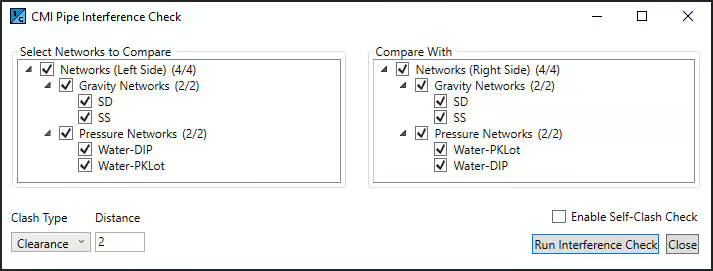
Tasks that might take minutes with the built-in command can often be completed in seconds. And if you happen to select the wrong network or forget to adjust a clearance value, you can simply click Close to stop the check instantly — no need to wait for it to finish.
The tool supports Gravity-to-Pressure, Pressure-to-Pressure, and Pressure-to-Gravity comparisons.
Interactive User Experience
With Civil 3D’s built-in Interference Check, the drawing is locked while the dialog box is open — you can’t move around or inspect anything until it closes. CMI Pipe Interference Check removes that limitation entirely.
You can Pan, Zoom, and 3D Orbit freely while the tool is open, making it easy to review network layouts, check nearby structures, or focus on specific areas as you work. This flexibility keeps you connected to your design instead of waiting behind a dialog.
Whether you’re analyzing a complex pressure system or reviewing a large subdivision, you maintain full control of your view and workflow throughout the entire process.
Smarter Filtering of Edge Cases
Civil 3D sometimes reports false positives — for example, pipes that connect at a structure may occasionally be listed as clashes. CMI Pipe Interference Check filters these and other edge cases automatically, reducing noise and helping you focus only on the issues that matter.
Detailed, Actionable Results
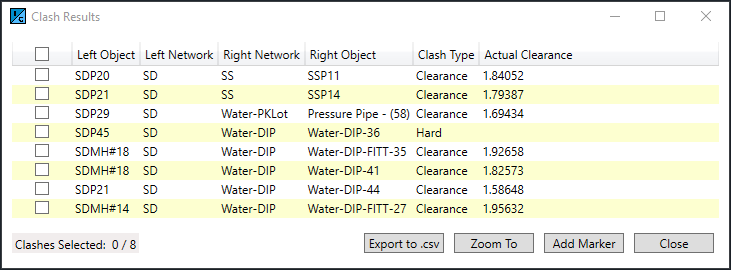
The Clash Results window presents clear, sortable entries that include object names, networks, clash type, and measured clearance. From the same window you can export, zoom, or place markers for review.
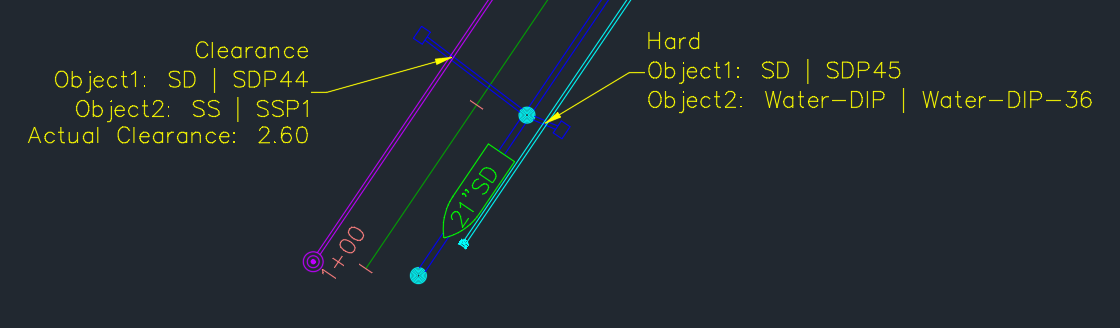
Easily place markers on clashes of interest. Add another layer of detail to your drawing sets. Concise and clear indicators for where violations occur.
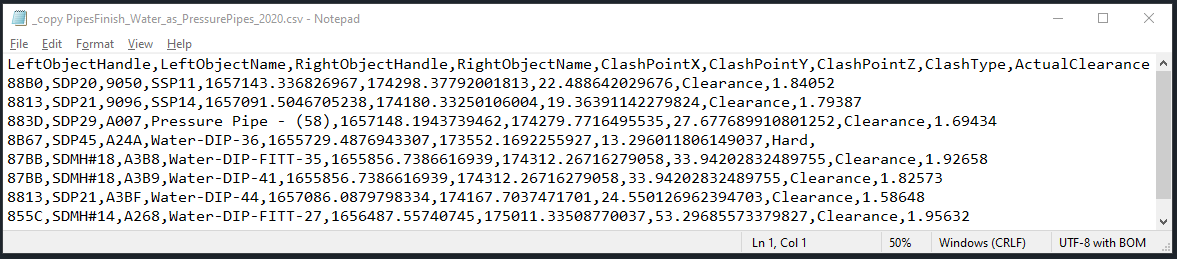
Export selected results to a CSV for reporting or coordination with other stakeholders — a simple, shareable format for QA/QC and documentation.
Built-In Elevation Labeling
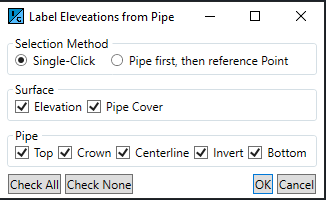
CMI Pipe Interference Check includes a companion Label Pipe tool for quickly annotating pipe elevations (top, crown, centerline, invert, bottom) and pipe cover relative to a surface. Labeling preferences are remembered between runs for consistent output.
Why Choose CMI Pipe Interference Check?
Civil 3D’s Interference Check is a good baseline, but CMI Pipe Interference Check extends its usefulness where real projects need it:
- Full support for Pressure Networks (including Pressure vs. Pressure and Pressure vs. Gravity checks)
- Fast, cancellable operations — abort at any time
- Exponentially faster detection powered by custom algorithms
- Automatic filtering of false-positive clashes and other edge cases
- Clean CSV export for coordination and documentation
- Integrated pipe labeling workflow