
Training Book Content
DVIEW TwistAutoCAD
Dview Twist Panel
This panel contains commands to manipulate the dview twist angle of modelspace and/or viewports. Setting the dview twist angle can be difficult to set accurately, these commands will help you with this process.
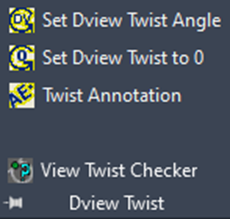
Set Dview Twist Angle
This command allows the user to enter a value or pick points to define the positive x-axis. It keeps the same zoom value and changes the crosshairs to match the current dview twist angle.
Set Dview Twist to 0
Set the dview twist to 0 and the crosshairs back to the current view.
Twist Annotation
This command rotates AutoCAD text objects to the current dview twist angle, World Coordinate System, or a specific angle.
View Twist Checker
This simply checks the drawing for current dview twist angle.